What is therapy clinic management software?+
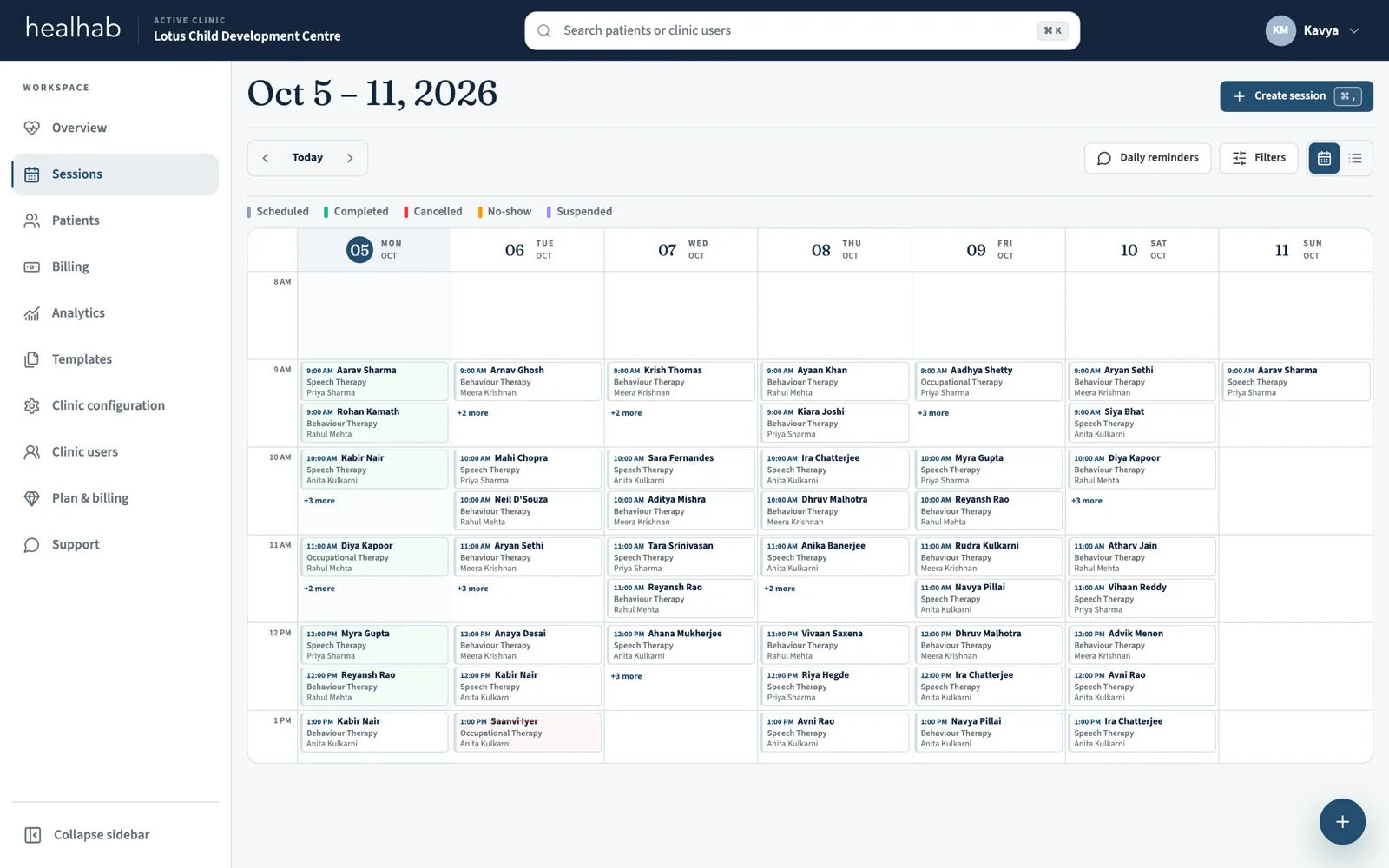
It is one system for the daily work of a therapy practice: scheduling sessions, writing therapy notes, preparing assessments, goal plans, and progress reports, billing patients, and keeping families informed. healhab is built for speech, occupational, behaviour, and physiotherapy clinics, child development centres, and rehabilitation teams.
Is there a free plan?+
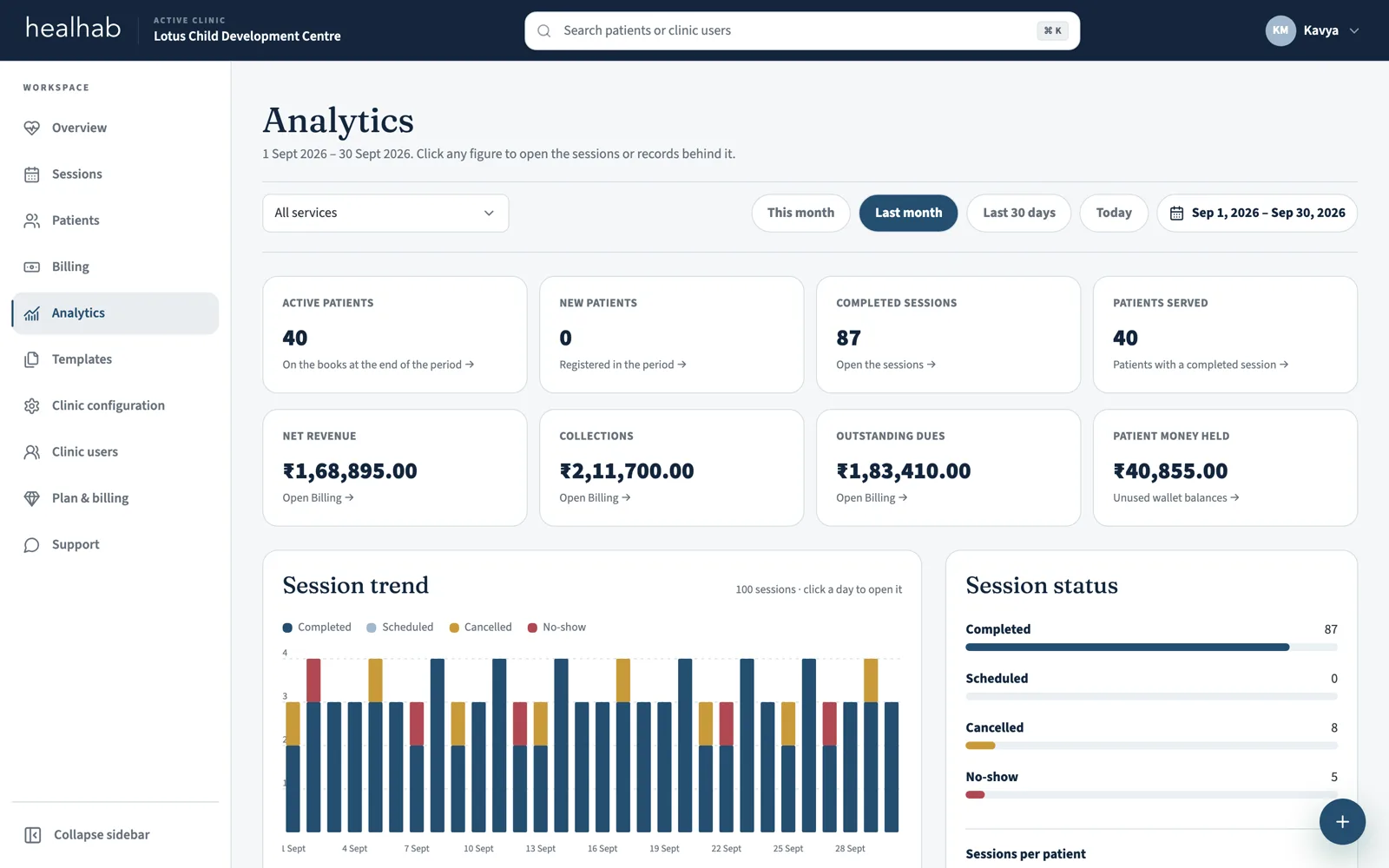
Yes. The Free plan is for independent therapists: 1 therapist, up to 10 active patients, 60 sessions a month, 5 assessments, 5 goal plans, 5 progress reports, and 30 AI drafting actions a month. Sign up with Google; no payment details are needed. Paid clinic plans add patient billing, WhatsApp updates, branded reports, analytics, and the Family Portal; healhab activates them on request.
Will therapists actually use it?+
healhab follows the work therapists already do: open the session, capture feedback, review the summary, and complete the record. A walkthrough can start with one workflow before the clinic expands its use.
Does healhab handle patient billing?+
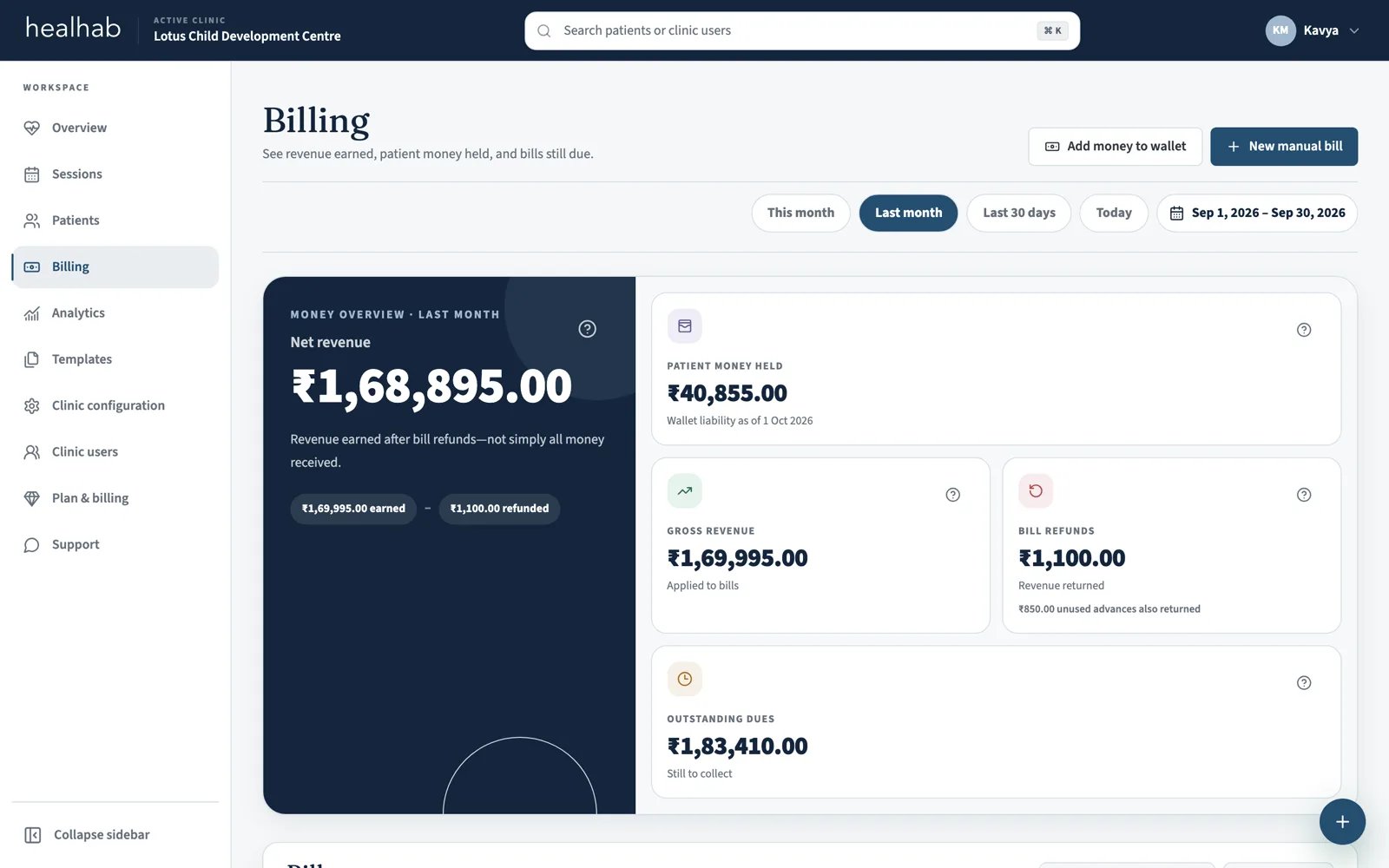
Yes. Each patient has a wallet, every payable session creates a bill at the current price, and completing the session settles it from the wallet. Any bill can be downloaded as a branded PDF. healhab records money the clinic has received; it does not run a payment gateway, tax invoicing, insurance, or payroll.
What can families see?+
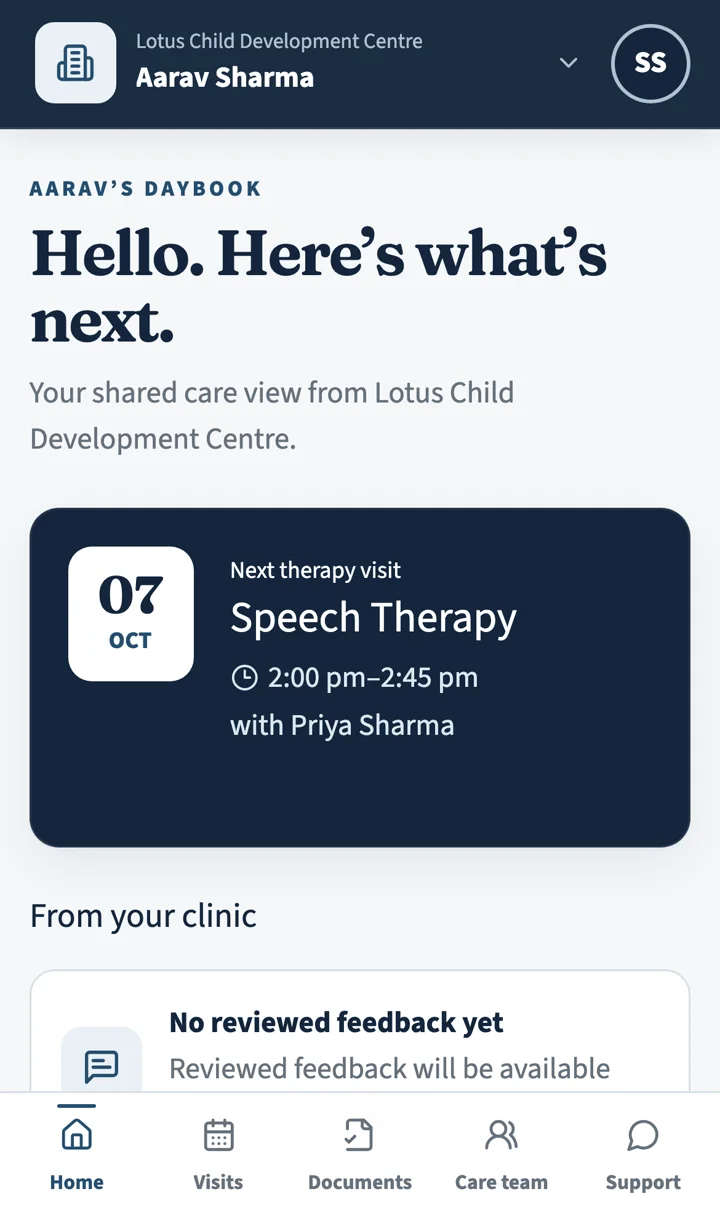
Only information the clinic permits. Clinic-granted access lets families see linked patients, visits, public therapist details, reviewed session updates, and published documents through the Family Portal. Reviewed and published information only: drafts never appear.
Does it work on a phone?+
Yes. The clinic app installs on a phone like an app, dialogs take the full screen, and the work queue, calendar, billing, and documents are built for a small screen first. Clinical data is always fetched live and never cached on the device.
Does healhab send WhatsApp reminders?+
Yes, on paid clinic plans where WhatsApp is configured. healhab sends session confirmations, reschedules, cancellations, and reminders to the family and the assigned therapist, each therapist's schedule for the day, and published reports when a clinician chooses to share them. Families can opt out, and recurring reminder batches remain reviewable by clinic staff.
What does the AI actually do?+
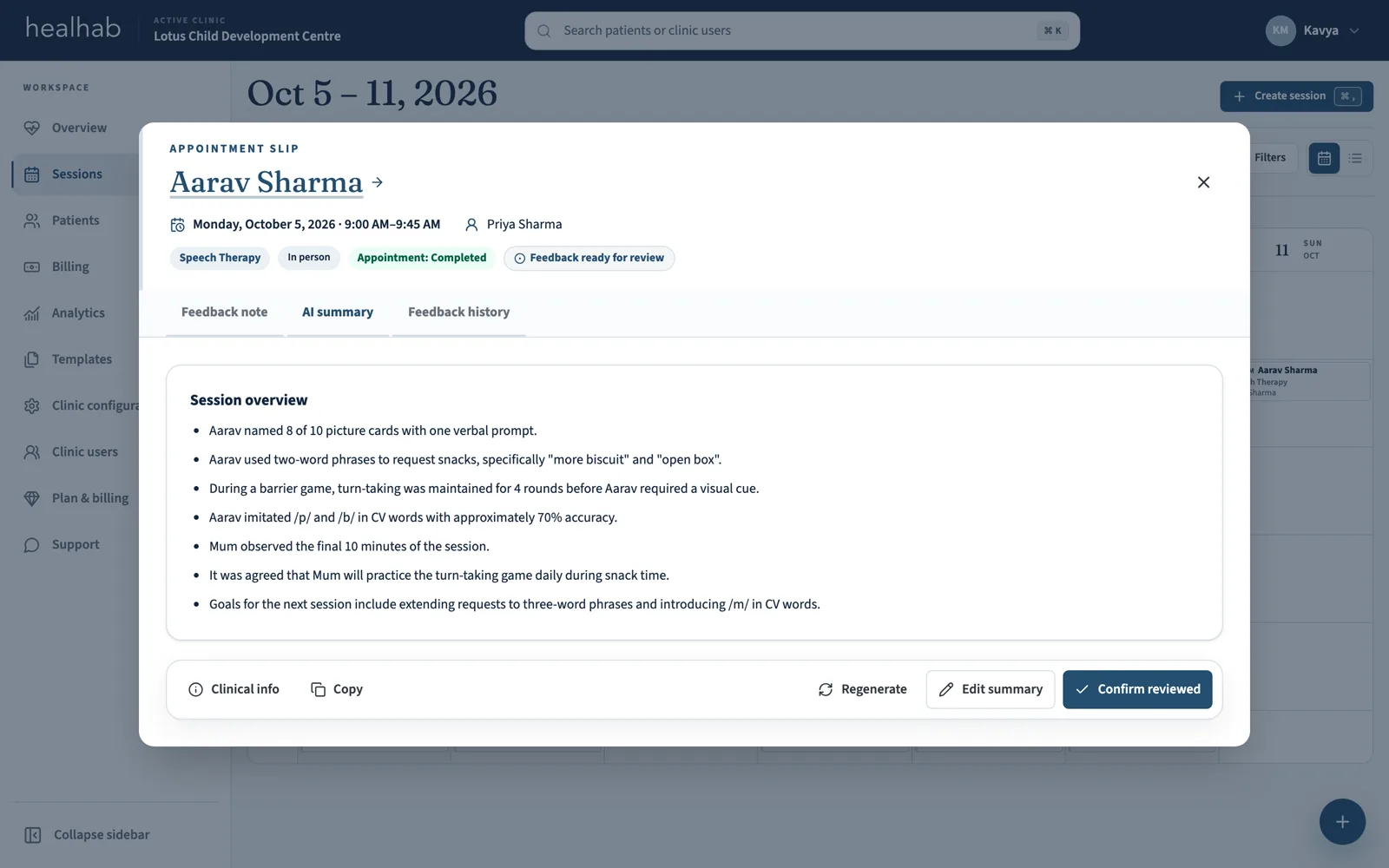
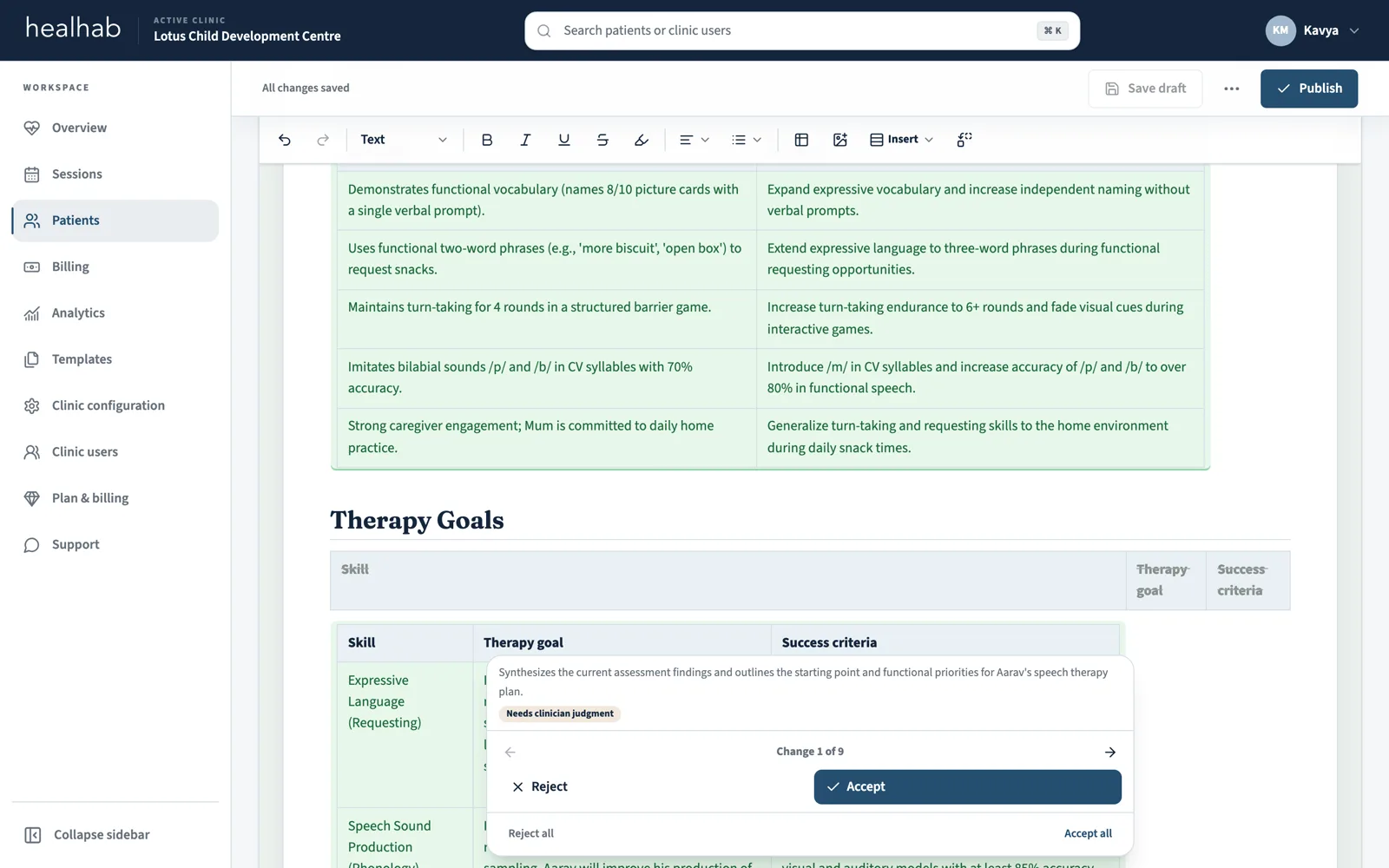
Where AI is switched on for your clinic, it drafts session summaries from typed or dictated notes, complete goal plans from published assessments and recent sessions, progress reports from the period's reviewed notes with the evidence quoted, and assessment summaries that cite their evidence. Inside any document you can select text and ask it to rewrite, shorten, or simplify. Every output is a suggestion that a clinician accepts, edits, or rejects.
Will AI publish clinical content or make a diagnosis?+
No. AI prepares editable proposals only. It never names a diagnosis the evidence does not document, never invents a baseline, and patient names are not sent to it. A permitted clinician reviews the work, and publication remains a separate, deliberate action.
Can we keep our own report formats?+
Yes. Attach up to three of your existing reports (Word, PDF, or a photo) or describe the format, and healhab's AI rebuilds the structure as a reusable template with smart fields. It copies structure only: fields are left empty, no patient content is carried over, and the sample files are not stored. You can also start from healhab's starter templates or build one yourself.
Does healhab replace a hospital or accounting system?+
No. healhab is focused on therapy clinic operations, patient billing, therapist-owned documentation, reviewed reports, and family visibility. Online payment collection, tax invoicing, payroll, pharmacy, insurance, and hospital administration are outside the current product.